09 · System
Administration & users
User management with role-based access control, integration with single sign-on via Azure AD or LDAP, and a complete audit trail of all user actions in the system. Besides user administration, the module includes functionality for documenting production meeting notes with tracking of actions, deadlines and responsible persons.
View · 01
Admin panel / User management: list of all users with role (administrator / user), account creation date and buttons to manage permissions and delete, with the option to add a new user and a shortcut to the main dashboard
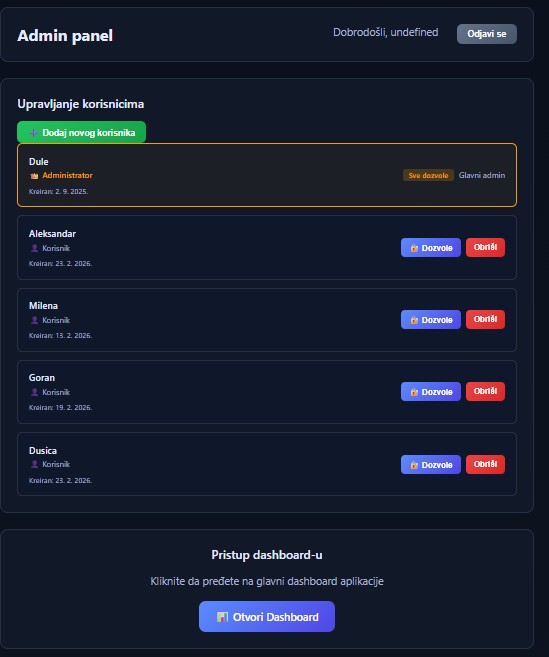
Figure 23 — Admin panel / User management: list of all users with role (administrator / user), account creation date and buttons to manage permissions and delete, with the option to add a new user and a shortcut to the main dashboard
Role-based access
Administrator has all permissions (the "All permissions" tag), regular users get granular per-module permissions via the "Permissions" button.
Creation date for every account
Every user has a visible creation date — makes team onboarding and user-account auditing easy.
One screen for all actions
Add new user, edit permissions and delete account — no opening sub-screens or losing the list.
Single sign-on support
Alongside local accounts, CTRL supports authentication via Azure AD or LDAP — single sign-on for the whole company.
View · 02
Meeting notes: structured form with basic details (title, date and time, meeting type
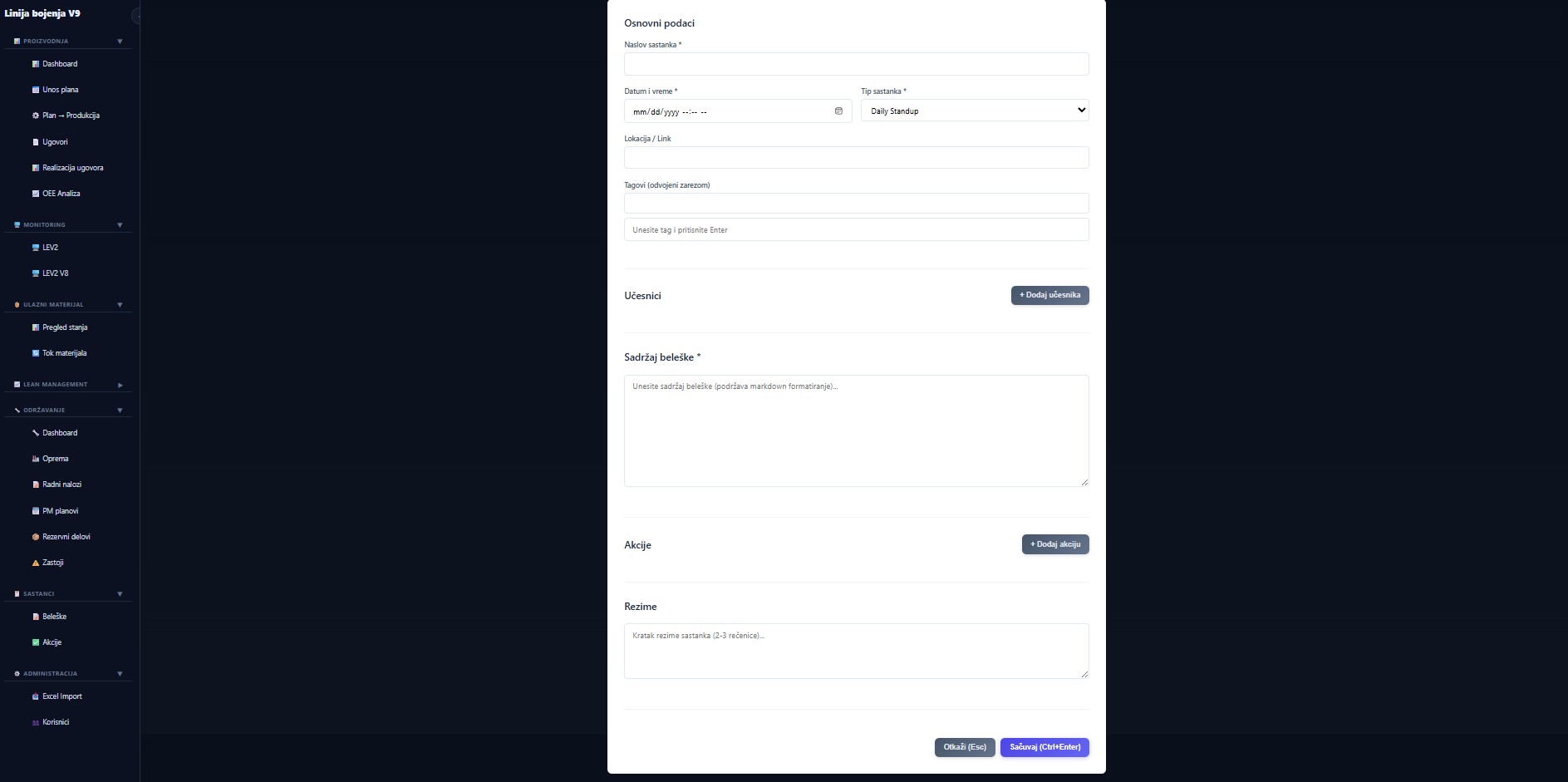
Figure 24 — Meeting notes: structured form with basic details (title, date and time, meeting type — daily standup, retrospective, quality, other — location, tags), participants, note content with Markdown support, actions with owners and deadlines, and a 2–3 sentence summary
Meeting types
Daily standup, retrospective, quality, other — filtering by type in the notes list makes it easy to review a daily-standup series or focus on quality meetings.
Markdown in content
Notes support Markdown — lists, headings, tables, bold — without a heavy visual editor that slows you down.
Actions as structured items
Actions are not bullet points in text — they are separate items with description, owner and deadline, tracked throughout the system.
Tags for search
Free-form tags (comma-separated) — a team's bi-weekly retrospective is retrievable in a few seconds.
Quick save via shortcut
A keyboard shortcut saves the note — no reaching for the mouse at the end of a meeting.
Ready to digitalize your production?
Schedule a 30-minute demo call. We will show you how CTRL works with your PLCs, your data, and your processes. The solution is fully customized and tailored — terms by agreement.