03 · Analytics
OEE analytics
OEE (Overall Equipment Effectiveness) is the key equipment efficiency indicator. CTRL calculates OEE automatically from three components: Availability (actual vs planned run time), Performance (actual vs ideal speed) and Quality (good parts vs total produced). The module supports shift, day and week comparisons, trend charts, target values and a heatmap for multi-machine overview.
View · 01
OEE Analysis: average values (Availability, Quality, Performance, OEE) in a chosen range, comparative bar chart by day and a detailed table with effective time, input/output and each component
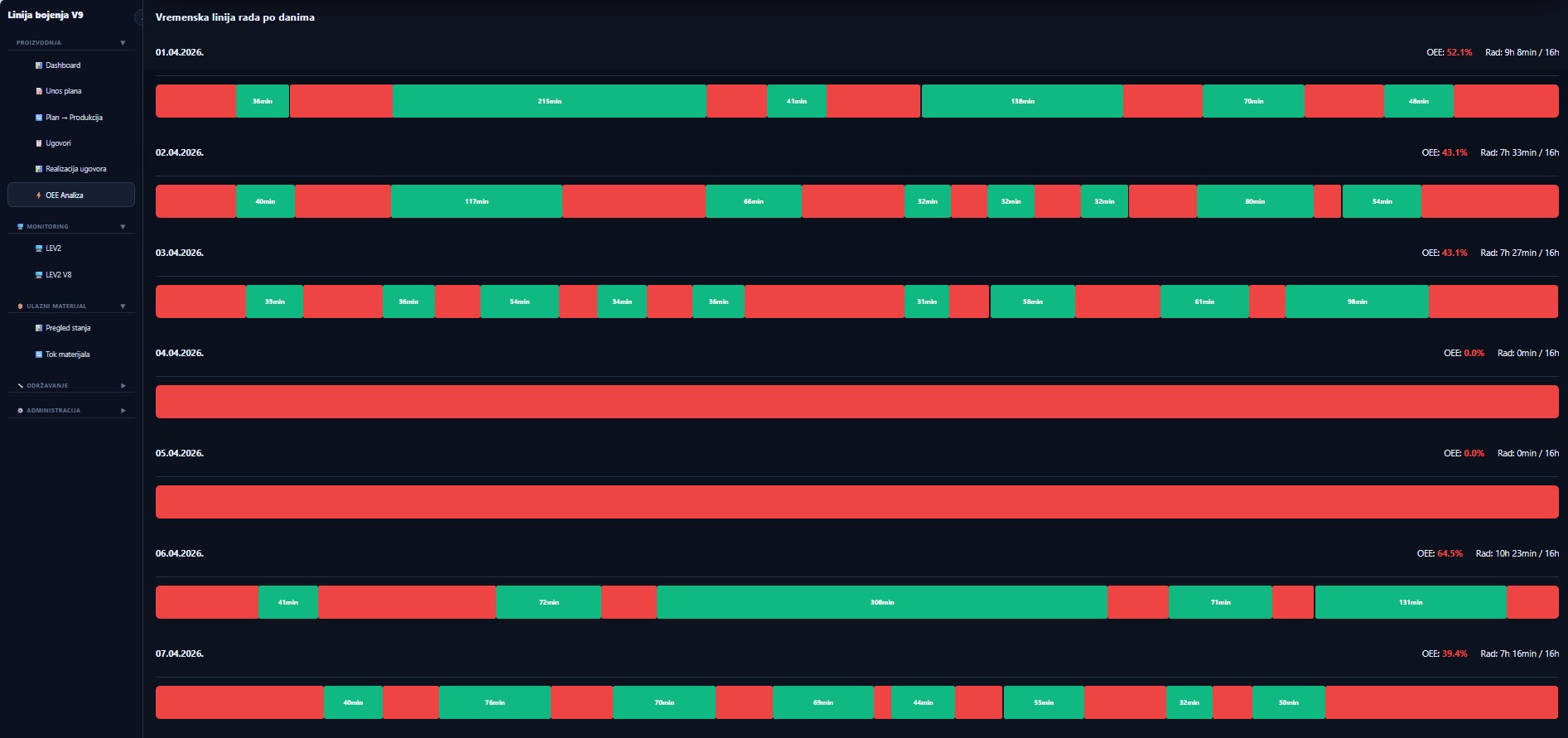
Figure 5 — OEE Analysis: average values (Availability, Quality, Performance, OEE) in a chosen range, comparative bar chart by day and a detailed table with effective time, input/output and each component
4 average KPIs
Average availability, average quality, average performance, average OEE — colour-coded against thresholds.
16h (2 shifts) / 24h (3 shifts)
Shift-mode toggle — available time is calculated from the actual operating regime, not from a calendar 24h window.
Comparative bar chart
Three series (OEE, availability, quality) per day — immediately shows which factor dragged OEE down.
Table with detailed drill-down
Each row leads to a per-day deep-dive — effective time, available time, input, output, each OEE component individually.
View · 02
OEE daily timeline: visual representation of line running and downtime throughout each day
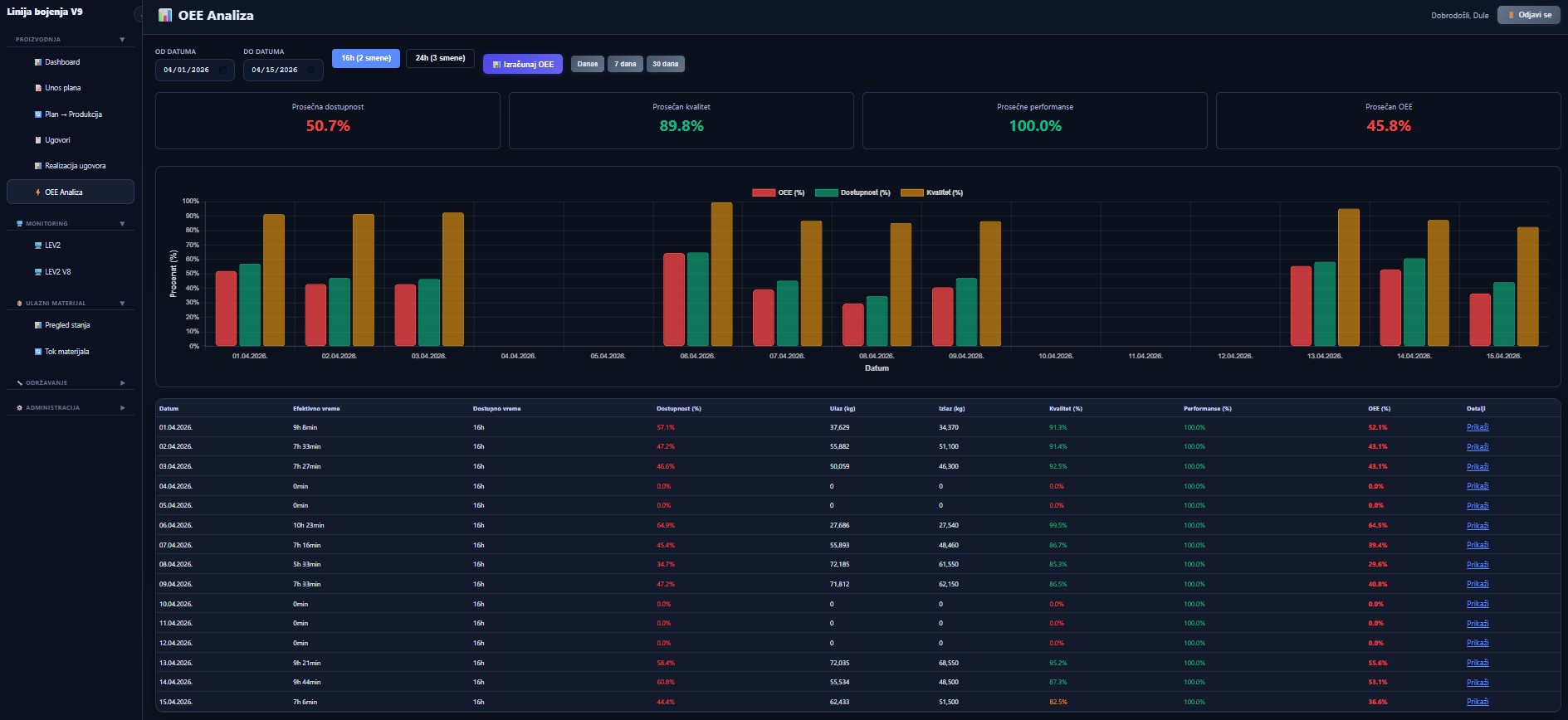
Figure 6 — OEE daily timeline: visual representation of line running and downtime throughout each day — green bars are active running time with duration in minutes, red bars are downtimes, with OEE and total running time against available time shown per day
Visual run distribution
See at a glance how the day looked — how much was continuous running and how much was pauses and downtime.
Duration per block in minutes
Every green bar carries the exact duration of that run block in minutes — short cycles vs long stable runs are easy to spot.
OEE and runtime per day
To the right of each row: daily OEE (%) and total running time — a direct link between visual pattern and numeric indicator.
Identifying no-run days
No-production days (holidays, weekends, material shortages) shown as a solid red line — immediately clear what is real working time.
View · 03
OEE combined daily report: a landscape A4 PDF for the production meeting with OEE components broken down (availability, performance, quality, OEE) per day and month, with a 70% target line and a current-week overview
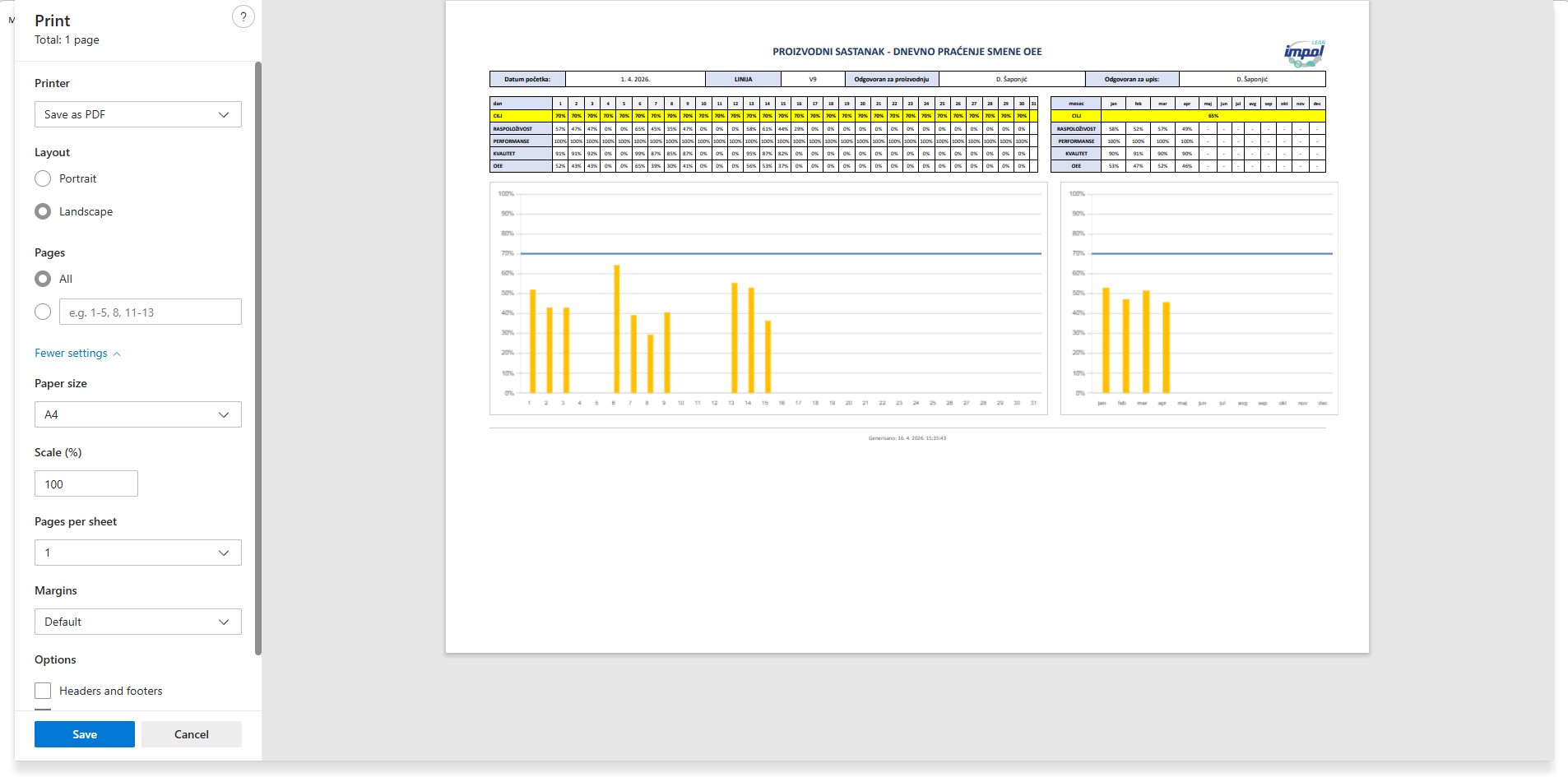
Figure 7 — OEE combined daily report: a landscape A4 PDF for the production meeting with OEE components broken down (availability, performance, quality, OEE) per day and month, with a 70% target line and a current-week overview — ready for the daily production team briefing
All three components and OEE
Target, availability, performance, quality and OEE — all in the same per-day table, no screen-hopping.
Target line on charts
A blue reference line at the defined target — days below it are immediately visually clear to the manager.
Daily and monthly view
Daily chart on the left for the current month, monthly chart on the right for year-long history — on the same page.
Production meeting format
Title "Production meeting — daily OEE tracking" with owners in the header — print- and distribution-ready without manual editing.
Ready to digitalize your production?
Schedule a 30-minute demo call. We will show you how CTRL works with your PLCs, your data, and your processes. The solution is fully customized and tailored — terms by agreement.