08 · Analytics
Reports & analytics
Automatically generated PDF reports for the daily production meeting — one landscape A4 page per topic, with a day-by-day view for the current month and a monthly summary on the right. All three reports (Plan realization, Quality tracking, Performance tracking) share a consistent memo header with responsible persons, making them print-ready and distribution-ready without manual editing. Additionally, a daily OEE report is generated with component breakdown (Availability × Performance × Quality) and monthly roll-up.
View · 01
Production meeting / Plan realization: a landscape A4 PDF report with a memo header (start date, production process, manager, plan responsible, entry responsible), a daily realization table, planned monthly quantity, a main chart of cumulative realization vs target line, and a monthly summary on the right
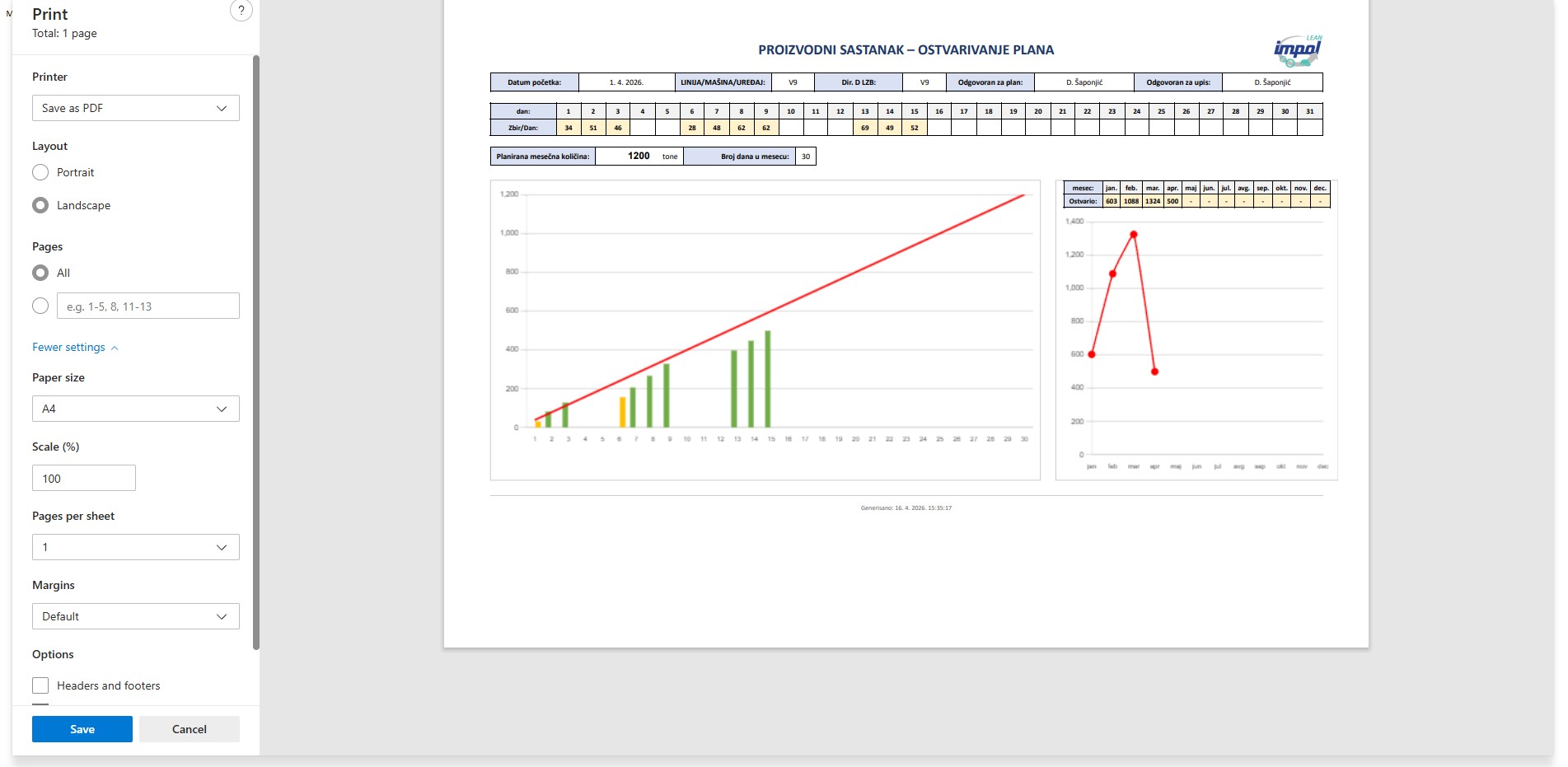
Figure 20 — Production meeting / Plan realization: a landscape A4 PDF report with a memo header (start date, production process, manager, plan responsible, entry responsible), a daily realization table, planned monthly quantity, a main chart of cumulative realization vs target line, and a monthly summary on the right
Print-ready layout
A single sheet that goes directly to print for the morning meeting — no manual editing, templates or Word copy-paste.
Memo header with owners
Manager, plan responsible and entry responsible — names are stored in system settings and automatically inserted into every PDF.
Cumulative vs target
Bar chart of daily production with a red target line (planned monthly quantity divided by number of days) — the deviation is immediately visible.
Monthly summaries
The right panel keeps monthly realized values for cross-year comparison (January, February, March…) without an extra click.
View · 02
Production meeting / Daily quality tracking: daily quality in percent (green bars above the threshold, orange below) with a target line at 90%, plus a monthly aggregate on the right
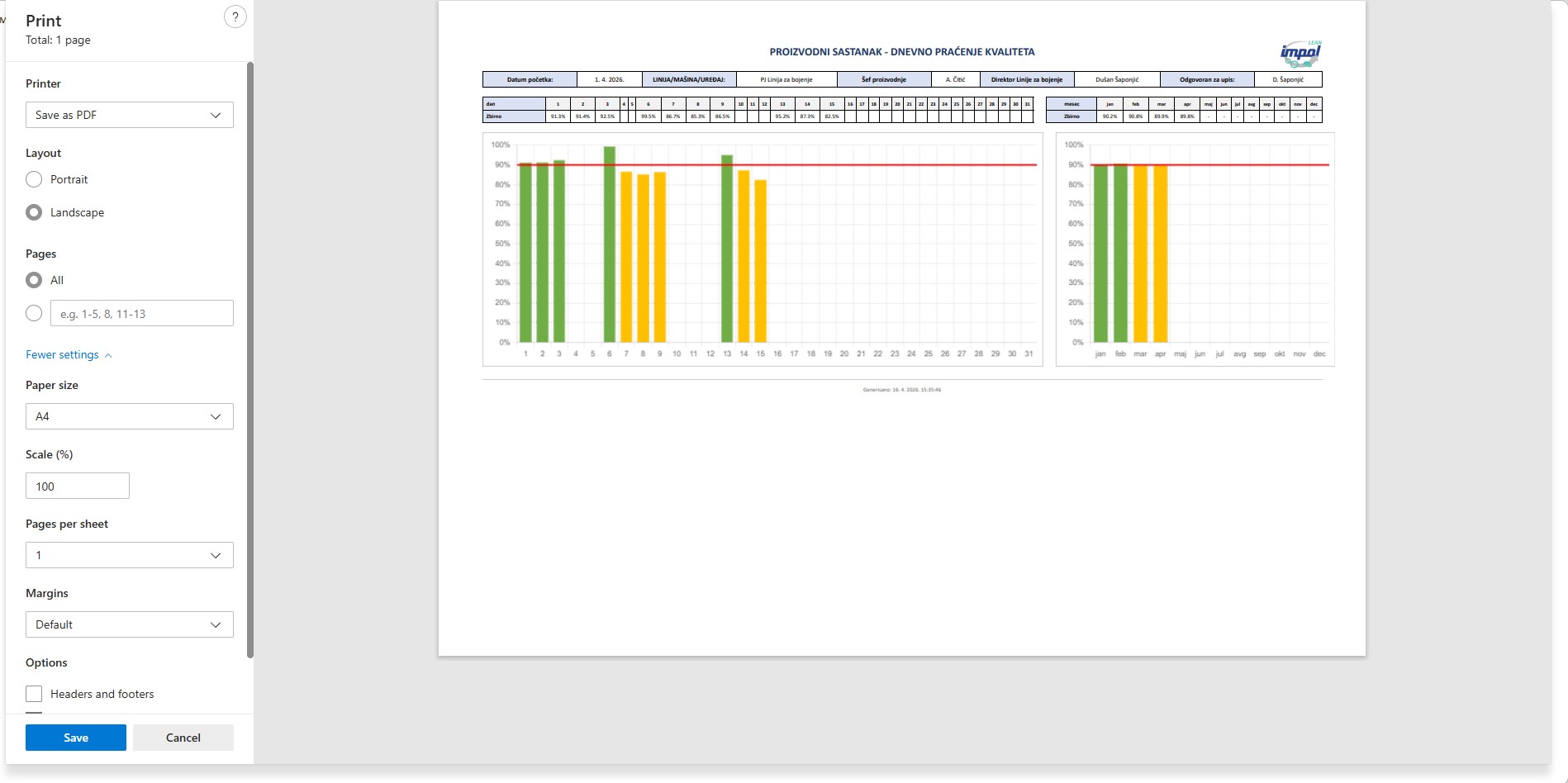
Figure 21 — Production meeting / Daily quality tracking: daily quality in percent (green bars above the threshold, orange below) with a target line at 90%, plus a monthly aggregate on the right — a clear visual signal for which days and months deviate from the quality target
Bar colouring vs threshold
Automatic bar colouring against the target (90%) — below-threshold days stand out without studying the numbers.
Consistent format across reports
Same memo header and layout as plan and performance — the team eyes adapt and read every new report instantly.
Daily and monthly values
The summary row at the top shows exact daily percentages; the monthly panel shows year-long trend.
Automatic generation and archiving
The report is generated at a scheduled time (e.g. 06:00 for the morning meeting), archived, and retrievable for any day in history.
View · 03
Production meeting / Daily performance tracking: daily performance in percent with a target line at 100%
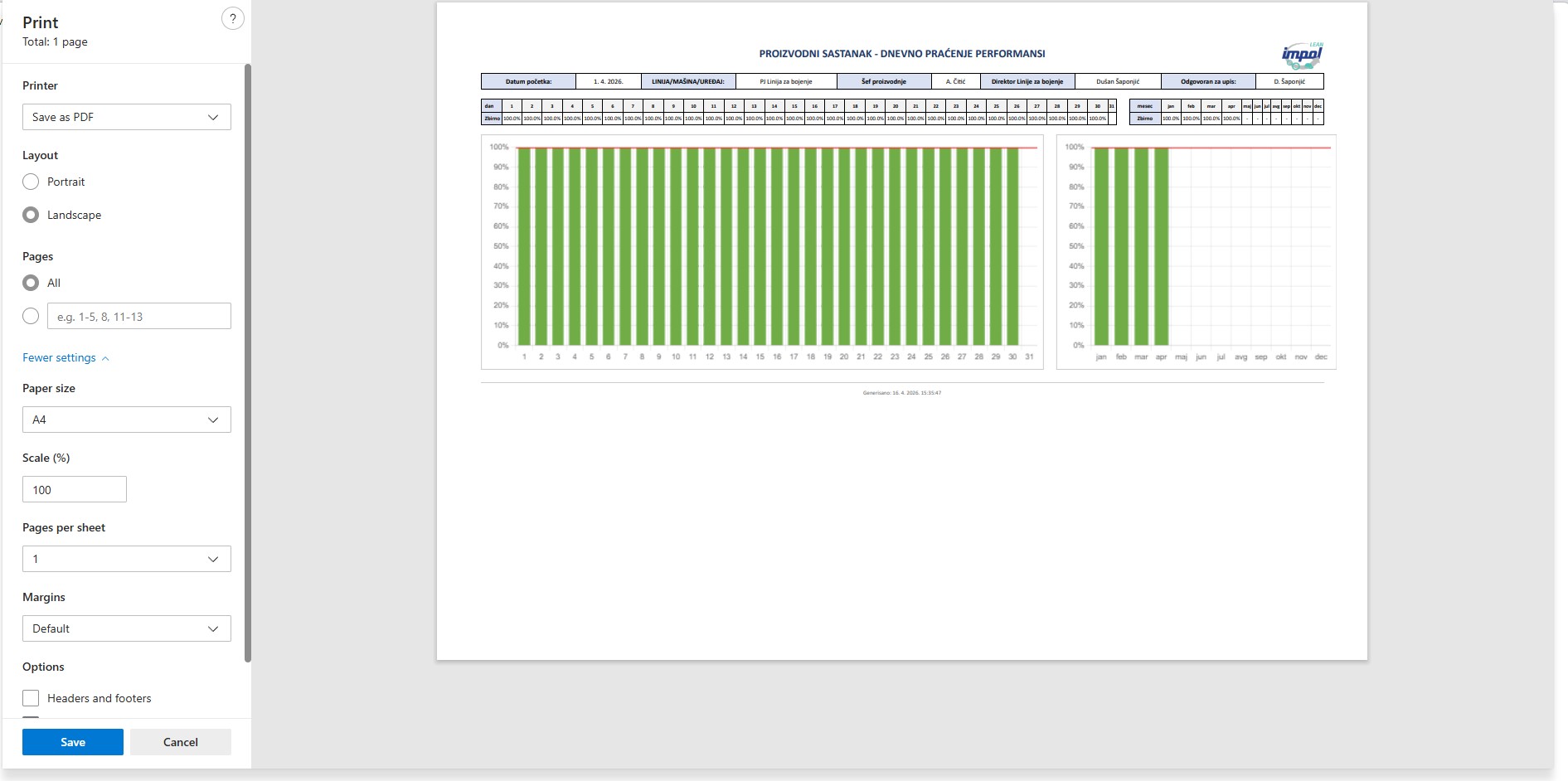
Figure 22 — Production meeting / Daily performance tracking: daily performance in percent with a target line at 100% — a "clean" report where everything should be green; monthly summary on the right aggregates the average, with month tags
Target 100% as a clean signal
Performance is actual speed vs ideal speed — any day below 100% immediately triggers a "why" question.
Daily summary row at the top
A row with exact per-day values gives a control view when all days share the same level.
Monthly view
Monthly summary on the right — an at-a-glance view of monthly average performance across the year, on the same sheet.
Generation time at the bottom
Every report carries its exact generation time — no doubts about old vs new version.
Ready to digitalize your production?
Schedule a 30-minute demo call. We will show you how CTRL works with your PLCs, your data, and your processes. The solution is fully customized and tailored — terms by agreement.