02 · Planning
Production planning
The planning module covers the full flow from plan creation to production execution tracking. It supports ERP integration, Excel import, drag-and-drop scheduling, capacity checks and automated work order generation. Real-time plan realization tracking shows the status of each line item, quantities, completion percentage and deviations from plan.
View · 01
Plan entry / Plan Editor: daily production plan with automatic processing-time calculation via formula, drag & drop order sequencing and a detailed work order table
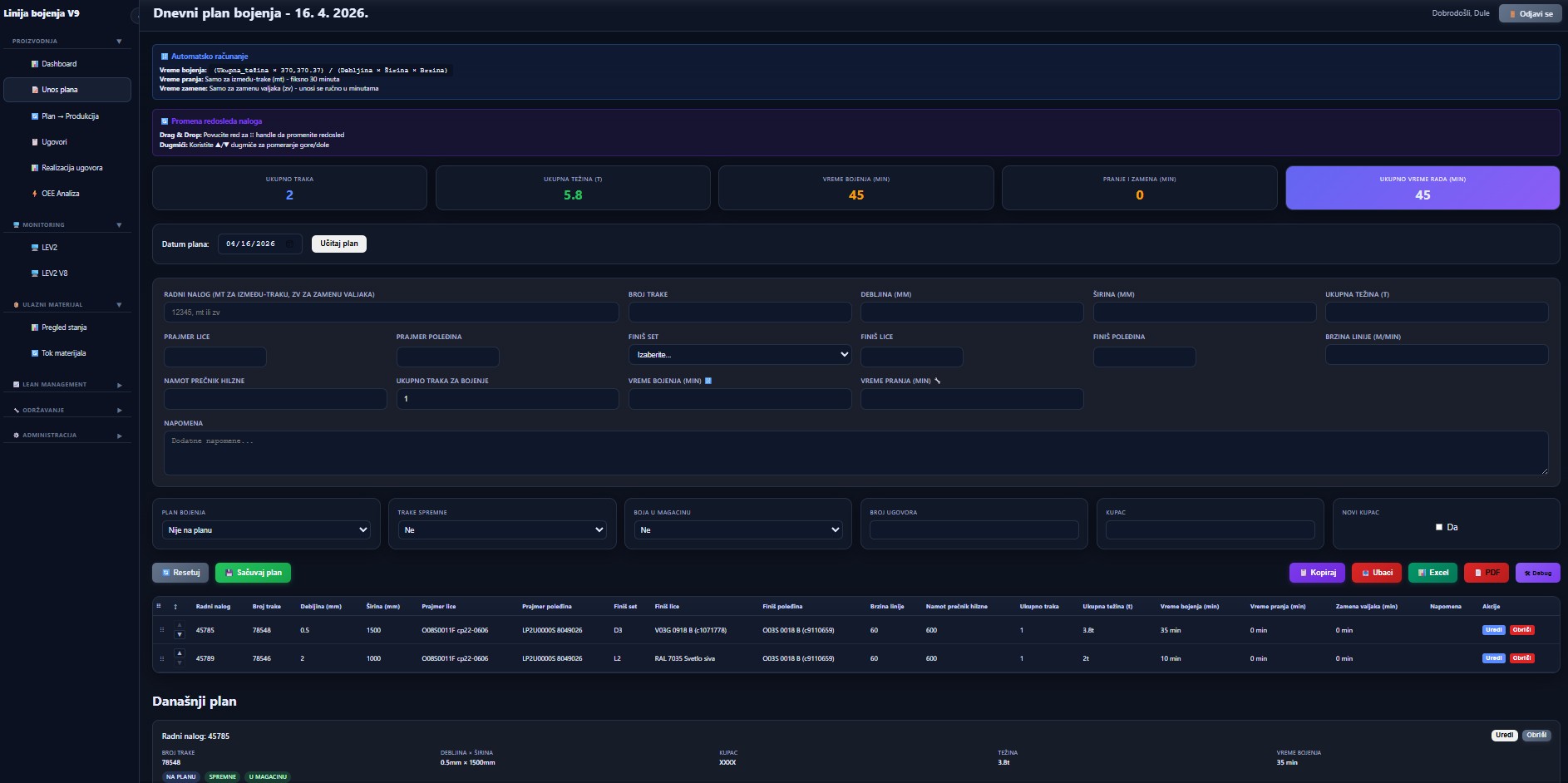
Figure 3 — Plan entry / Plan Editor: daily production plan with automatic processing-time calculation via formula, drag & drop order sequencing and a detailed work order table
Automatic processing-time calculation
Processing time is calculated by formula (total quantity × constants) / (dimensions × line speed) — no manual input.
Drag & drop sequencing
Drag a row to change the order sequence; up / down arrows for quick nudges.
4 plan summary cards
Total items, total quantity (t), processing time (min), setup & recipe changeover time (min), total operating time.
Fields for all production parameters
Item ID, dimensions, quantity, production parameters (recipe, face and back preparation, line speed) and specific process-related parameters.
View · 02
Plan → Production / Integration: transferring planned work orders to the production system while filling missing fields (additional parameters, achieved quantity, contract, number of passes)
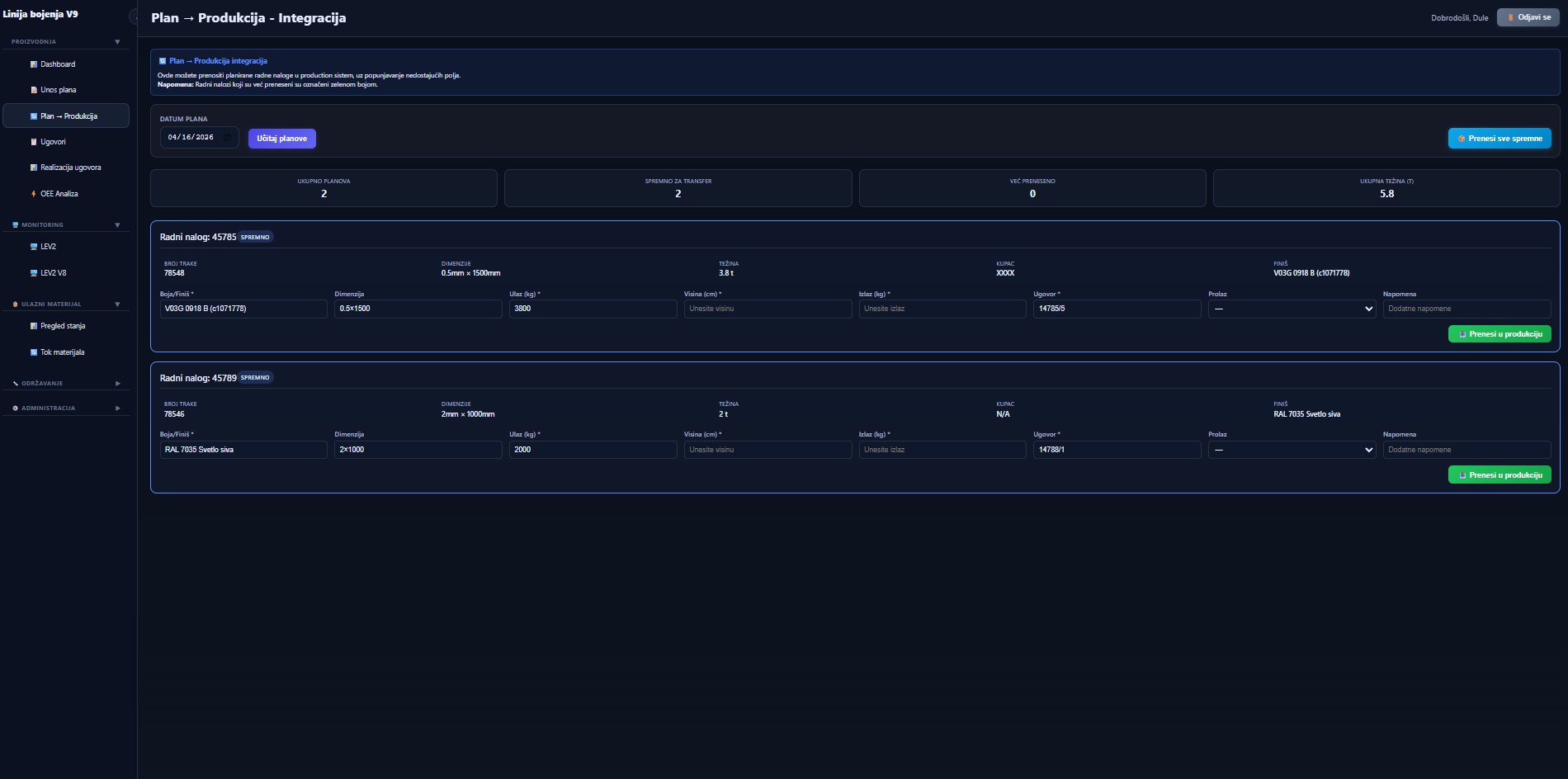
Figure 4 — Plan → Production / Integration: transferring planned work orders to the production system while filling missing fields (additional parameters, achieved quantity, contract, number of passes)
Filling missing fields
An order does not transfer to production until the operator enters achieved quantity, additional parameters and contract — the system prevents half-empty records.
Visual order status
Every order carries a READY/TRANSFERRED status; transferred orders are highlighted green at a glance.
4 summary cards
Total plans, ready for transfer, already transferred, total weight — before any action.
Batch and single transfer
One click "Transfer all ready" or individual "Transfer to production" per order.
Ready to digitalize your production?
Schedule a 30-minute demo call. We will show you how CTRL works with your PLCs, your data, and your processes. The solution is fully customized and tailored — terms by agreement.