05 · Operations
Incoming control & material flow
Incoming material overview with complete flow tracking through production — from raw material reception to final product. The system ensures full material traceability, linking every batch with incoming documents and work orders in production, as well as data export for internal and external audits.
View · 01
Incoming material: import from a PDF or Excel production list, 9 summary cards (Total tons, Total pieces, Blocks on yard, Processed, Unprocessed, Completed, For next phase, Production, Remainder), detailed tables per location and material type, categorization by calendar week and material type, details across production phases
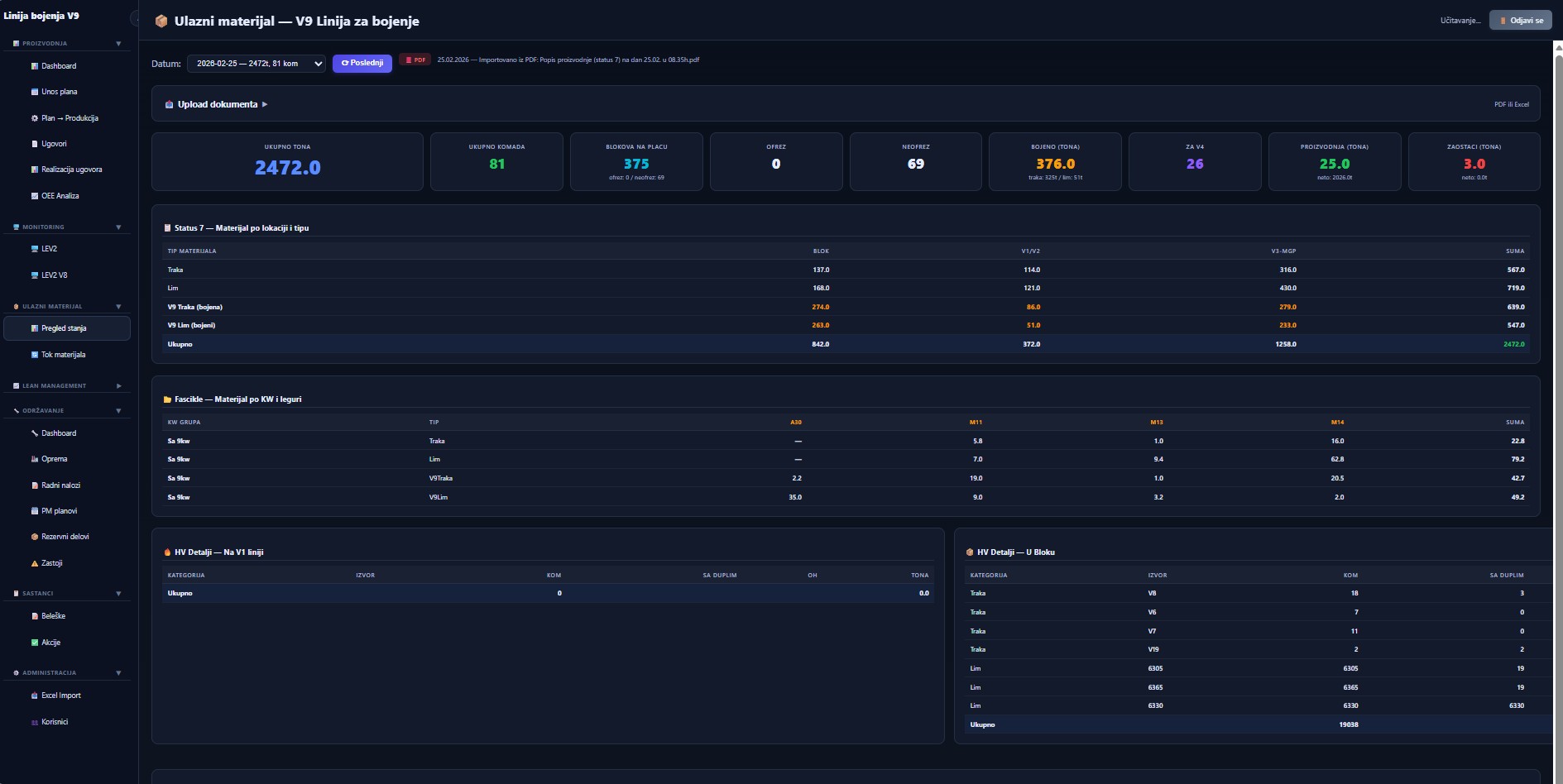
Figure 9 — Incoming material: import from a PDF or Excel production list, 9 summary cards (Total tons, Total pieces, Blocks on yard, Processed, Unprocessed, Completed, For next phase, Production, Remainder), detailed tables per location and material type, categorization by calendar week and material type, details across production phases
Import from PDF / Excel
Direct import of the production list from PDF or Excel — no manual re-typing of material codes.
9 KPI cards by status
Total tons, pieces, blocks on yard, processed / unprocessed, completed (tons), for the next phase, production, remainder — each card colour-coded by criticality.
Cross-table location × type
Distribution by material type and processing phases — across multiple locations at once.
Categorization by calendar week
Automatic categorization by calendar week and material type — direct input for production planning.
View · 02
Material flow and availability: visualization of material flow through all production phases, with warehouse cards and an availability trend chart against a defined threshold
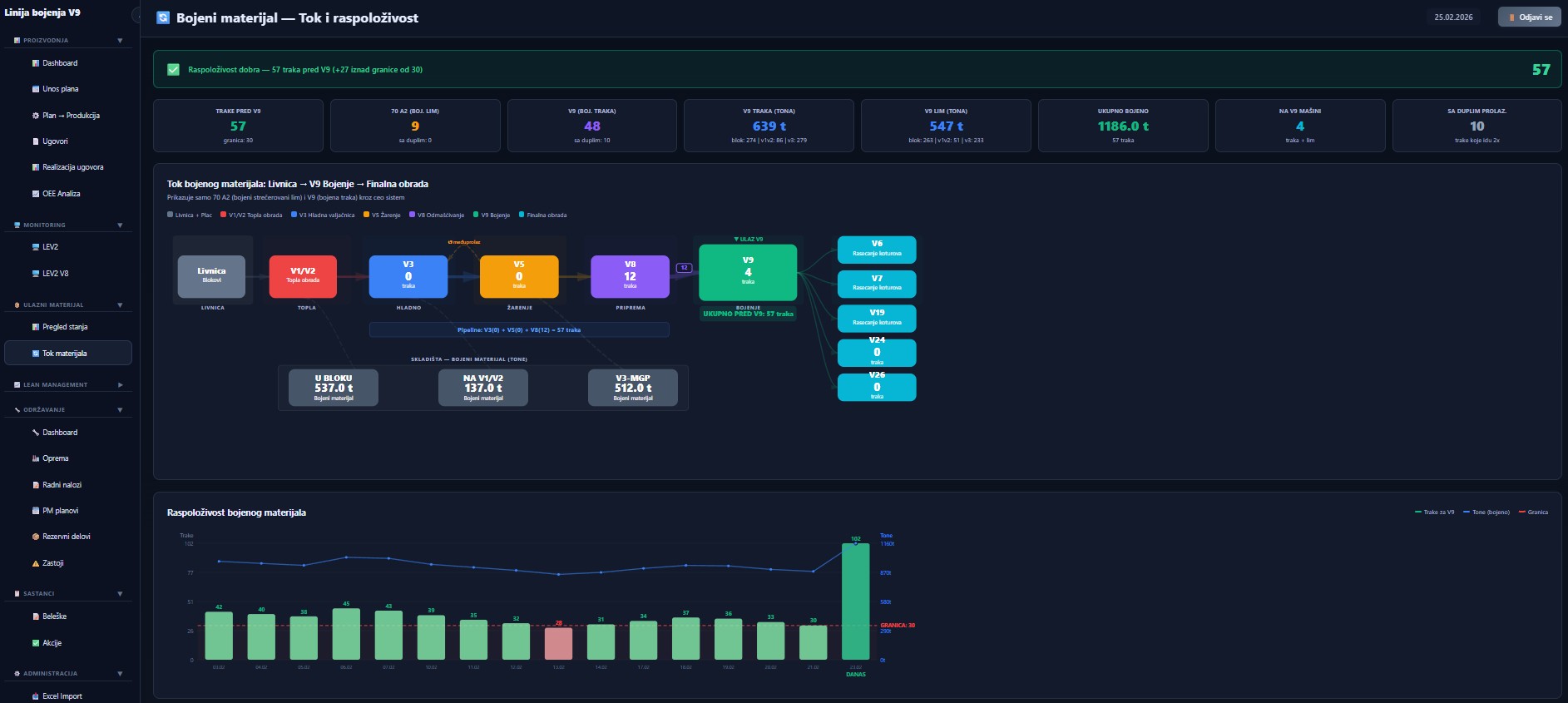
Figure 10 — Material flow and availability: visualization of material flow through all production phases, with warehouse cards and an availability trend chart against a defined threshold
Visual production flow
Every node represents a production phase with current item count — the whole process is visible at a glance.
Availability vs threshold
The card at the top shows current availability against a defined threshold — a clear signal when the upstream phase needs to restart.
Warehouse cards
Warehouse cards with current tonnage per location — on the same screen as the flow diagram.
Availability trend
Bar and line chart of availability over time — the threshold is drawn as a red line, under-threshold days stand out visually.
Ready to digitalize your production?
Schedule a 30-minute demo call. We will show you how CTRL works with your PLCs, your data, and your processes. The solution is fully customized and tailored — terms by agreement.